


Exchange 2010 not receiving external mail when first installed.
Problem
After installing exchange 2007 or exchange 2010 , you may be able to send mail fine after testing but you find that your exchange server is not receiving emails. This is standard for a new exchange 2010 install. Follow the step by step guide below on setting up your receive connector.
Resolution
This is because by default the receive connector is set to not receive external mail. To enable do the following.
First Launch the Exchange 2010 Management console.

Receive Connector Not Setup Correctly
Once in select server configuration and then Hub Transport.
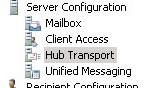
Exchage connector not receving email
Then on the right hand side select “receive Connectors”, Right click and select properties. Then select the 4th tab “permission groups”. Put a tick in Anonymous users.

receive connector no accepting mail
This will now allow external users ( anonymous ) to send mail to you.
Tags: email, receive connector

 Loading ...





Anuj
| #
there are two receive connnectors. one is client receive connector & default receive connector. on which connector this setting required
Reply
Allen White
| #
Hi, you need to set it on the default connector
Reply
Anuj
| #
also provide all setting of authentication tab & permission tab setting when we have edge server in scenario.
Reply
Allen White
| #
In that case it will be
Anon
Exchange
Exchange Legacy.
Reply