


ActiveSync Stops Working Exchange Migration To New Exchange Server 0x85010014
I have seen this issue on numerous Exchange migrations. From Exchange 2003 to Exchange 2010, even Exchange 2010 to Exchange 2013. When you migrate a users mailbox from one mailbox store to a mailbox store on the new Exchange server, active sync will stop working, mobile ph0nes will stop pulling email from Exchange. This is down to permissions not passing onto the user object. If the user is also a member of the domain administrators group this will also stop activesync from working. You will see that the mobile phone generates the error code 0x85010014. Follow the steps below to resolve this issue.
First make sure the users who are effected are not members of the Domain admins group.
Then in Active Directory users and computers we need to enable advance features. So in ADU and C click on view then select advanced features.
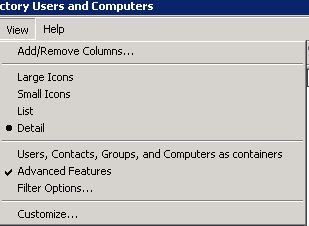
active directory turn on advanced features
Once done, locate the user or users that are experiencing the 0x85010014 active sync issue and right click them and select properties. Once there then you will see the security tab that advanced features has enabled.
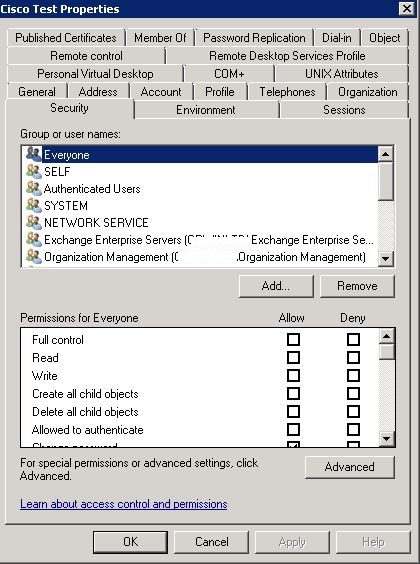
user advanced security settings
Once in there you then need to select the advanced option at the bottom of the screen. On the following screen you will see at the bottom an
option to include inheritable permissions from this objects parents. Tick it and click ok.
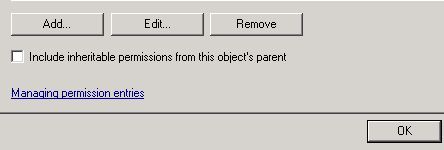
include inheritable objects
Select yes to the pop what appears.
ActiveSync stops working after mailbox migration from old Exchange server to your new Exchange server mailbox store.This can happen on Exchange 2003,2007, 2010 and Exchange 2013. This is down to inherited permissions.0x85010014 active sync issue.
Tags: activesync

 Loading ...




Andyt
| #
Hello, nice article. We have the same problem. Migration from 2007 to 2013 and one user with that error message after clean shutdown old server. The problem: “include inheritable objects” is already enabled. What else could be the problem?
Reply
Allen White
| #
Hi, is the user with the issue a domain admin?
Reply