


Exchange 2013 Install – Setup exe Unhandled Exception
When installing the Exchange 2013 preview you may come across the error below
Unhandled Exception: System.TypeLoadException: Could not load type ‘System.Security.Claims.ClaimsPrincipal’ from assembl
y ‘mscorlib, Version=4.0.0.0, Culture=neutral, PublicKeyToken=b77a5c561934e089′.
at Microsoft.Exchange.Setup.Bootstrapper.Common.BootstrapperLogger.LogUserName()
at Microsoft.Exchange.Setup.Bootstrapper.Common.BootstrapperLogger.StartLogging()
at Microsoft.Exchange.Bootstrapper.Setup.BootstrapperBase.MainCore[T](String[] args)
at Microsoft.Exchange.Bootstrapper.Setup.Setup.Main(String[] args)
y ‘mscorlib, Version=4.0.0.0, Culture=neutral, PublicKeyToken=b77a5c561934e089′.
at Microsoft.Exchange.Setup.Bootstrapper.Common.BootstrapperLogger.LogUserName()
at Microsoft.Exchange.Setup.Bootstrapper.Common.BootstrapperLogger.StartLogging()
at Microsoft.Exchange.Bootstrapper.Setup.BootstrapperBase.MainCore[T](String[] args)
at Microsoft.Exchange.Bootstrapper.Setup.Setup.Main(String[] args)
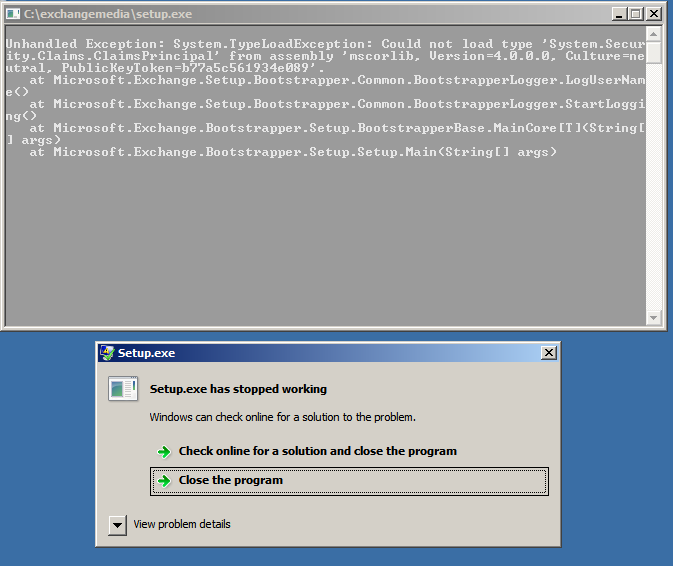
exchange 2013 unhandled exception
First make sure in power shell you have ran the following commands
Import-Module ServerManager
Add-WindowsFeature RSAT-ADDS
Once done restart the server.
Then I installed the .net 4.5 framework which can be found here.
You also need the windows managment framework which is here
Then you will need a restart.
Once rebooted drop to power shell and run the commands below, we need to install the Server Manager Module so we can run the subsequent commands.
Import-Module ServerManager
Then ( copy and paste )
Add-WindowsFeature Desktop-Experience, NET-Framework, NET-HTTP-Activation, RPC-over-HTTP-proxy, RSAT-Clustering, RSAT-Web-Server, WAS-Process-Model, Web-Asp-Net, Web-Basic-Auth, Web-Client-Auth, Web-Digest-Auth, Web-Dir-Browsing, Web-Dyn-Compression, Web-Http-Errors, Web-Http-Logging, Web-Http-Redirect, Web-Http-Tracing, Web-ISAPI-Ext, Web-ISAPI-Filter, Web-Lgcy-Mgmt-Console, Web-Metabase, Web-Mgmt-Console, Web-Mgmt-Service, Web-Net-Ext, Web-Request-Monitor, Web-Server, Web-Stat-Compression, Web-Static-Content, Web-Windows-Auth, Web-WMI
You again need to reboot your server. Once done you can now run the setup command from poewrshell and the install will commence.
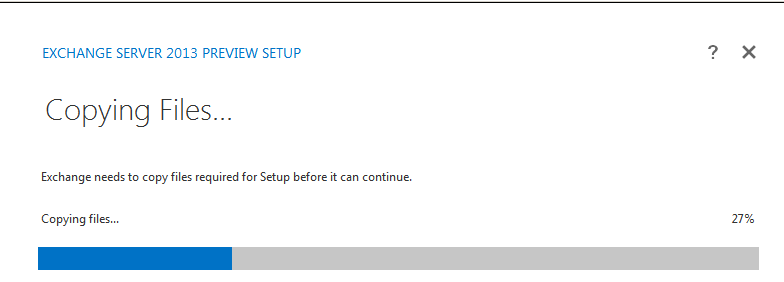
exchange 2013 preview setup

Allen White
Allen is an IT Consultant and holds the following accreditations. MCSA, MCSE, MCTS, MCITP, CCA, CCSP, VCP 4,5, 6 and HP ASE, AIS - Network Infrastructure.
 Loading ...





Allen White
| #
Glad to help Sean, hopefully the Alpha and Beta release will be a bit easier to install.
Reply