Veeam Backup and Replication

Windows 8 – Log in Automatically

Written by Allen White on. Posted in Windows 8

Nice quick one to start the day! In Windows 8 when the operating system boots by default you will be asked the press CTRL+ALT+DEL to log in then enter your password as seen below.
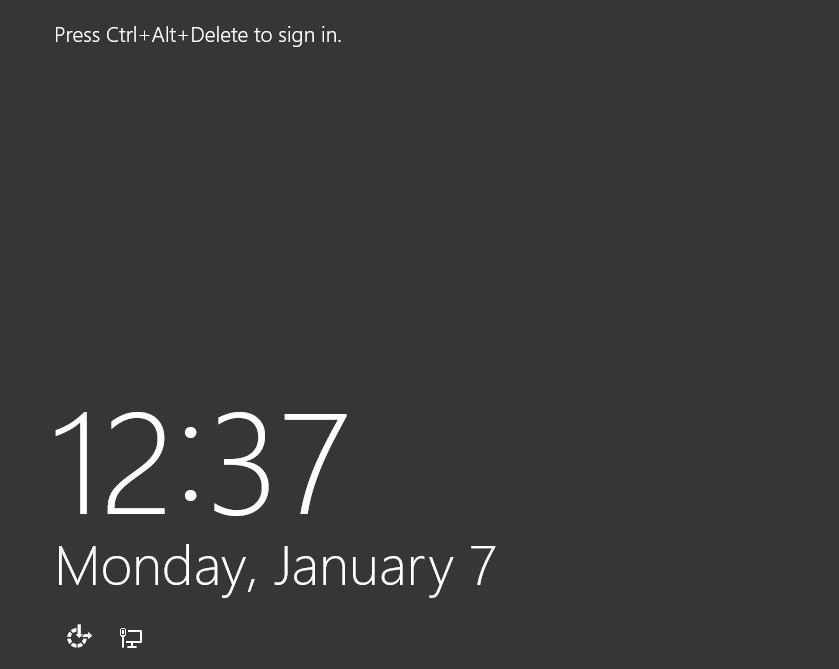
remove ctrl alt and delete to login windows 8

If you want Windows 8 to log-in automatically without having to enter a password or press CTRL+ALT+DEL then do as follows.

First go to the settings cog. Then choose PC settings.
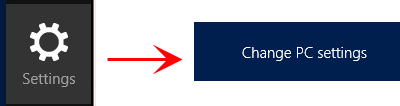
Set windows 8 login automatically

We then need to select “Users” and select your user account. Once selected click “Change Your Password“.

Now enter your old password as required but when entering your new password leave it blank in both boxes.Then save all changes. Now when Windows 8 boots it will sign in automatically. This is useful if you are using the pc as a media centre and you want windows 8 to automatically boot and run an application


Related Problems

Change Network Settings In Windows 8
A simple guide on how to access and manage your network settings in Windows 8 with the new metro user interface.
READ SOLUTION
Upgrade Windows 7 To Windows 8 Guide
A step by step guide on doingan in place upgrade of windows 7 to windows 8. Pe-requisites, tips and backups covered.
READ SOLUTION
Join Windows 7 and Windows 8 to a Domain with Command Line
Instructions on how to script joining windows 8 pc`s or windows 7 pc`s to a domain using the netdom command via command line.
READ SOLUTION
Guide to Windows 7 Shortcut Keys
A full list of Windows 7 Shortcuts!, a simple comprehensive list of windows shortcuts. How to complete task in windows without clicking. Windows 7 quick guide.
READ SOLUTION
Disable Power Management In Windows 7 And Vista.
Power problems in Windows 7? consider just disabling the whole power system.Event ID-41 Source-Kernel Power Log-System, to reslove this issue you can disable the windows 7 power management. ...
READ SOLUTION
Building Server 2012 And Creating A New Windows 2012 Domain
Step by step guide on how to installe microsoft server 2012, create a new server 2012 domain and promote a server into a 2012 domain
READ SOLUTION
Where Is Control Panel On Windows 8?
Control panel is no more in windows 8, it is now more pc settings. Here is a quick guide on how to find the control panel (more pc settings ) ...
READ SOLUTION
IT Tutorials
Step by step guide on transfering you FSMO roles in GUI and command line.How to transfer FSMO roles from one server to another guide.
READ SOLUTION
Change Network Settings In Windows 8
Upgrade Windows 7 To Windows 8 Guide
Join Windows 7 and Windows 8 to a
Guide to Windows 7 Shortcut Keys
Disable Power Management In Windows 7 And Vista.
Building Server 2012 And Creating A New Windows
Where Is Control Panel On Windows 8?
How To Transfer FSMO Roles, Graphical And Command

Trackback from your site.

Allen White

Allen is a Technical Consultant for an IT company in the North East of England and holds the following accreditations. MCSA, MCSE, MCTS, MCITP, CCA, CCSP, VCP 4,5 and HP AIS - Network Infrastructure. I run this site is my spare time so if I help you then PLEASE take the time to share using the share tools on the site.

Comments (2)

  • Adrian

    |

    There is another way I’ve achieved this without needing to reduce security (by removing password) and without needing to use a local account (it works with a Microsoft account login).

    Winkey + R > “control userpasswords2″ > untick top open and hit OK.

    On prompt, your username is either your local username that you set or it’s your live account email address if it’s linked, then just confirm password and it will auto login. This has worked since XP and it allows me to auto-login, but lock the computer if I’m going away from the desk for a moment.

    Reply

    • Allen White

      |

      Thats a great tip Adrian, thanks!

      Reply

What Do You Think?

Search Solutions

Categories

Ask a Question!

(c) Techieshelp.com. Please be aware, all information is provided freely, any information used is done so at your risk and Techieshelp will not be held responsible for any issue that may occur.